At 3:14 AM on a Tuesday, a configuration error brought down a company's checkout page for 47 minutes. Their uptime monitor caught it within 60 seconds and paged the on-call engineer. The fix was deployed before most customers noticed. Two weeks later, a third-party script changed the privacy policy page on that same site, removing a required GDPR disclosure. Nobody noticed for eleven days, until a compliance auditor flagged it. The uptime monitor had reported 100% availability the entire time.
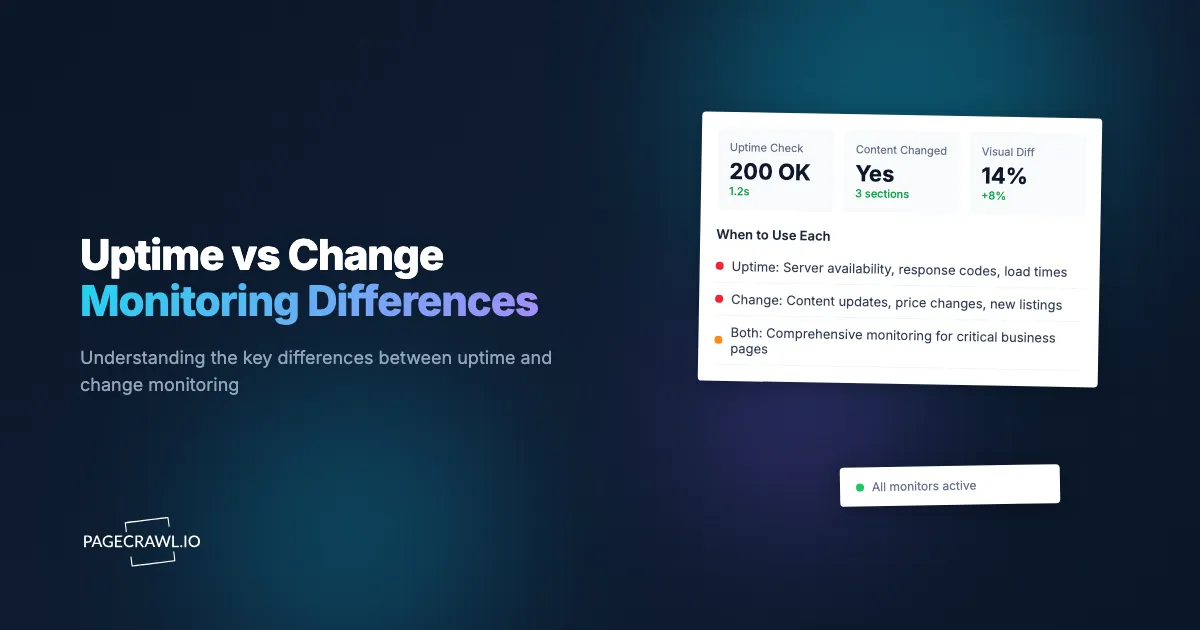
These two scenarios illustrate a fundamental gap in how organizations think about website monitoring. Most teams default to one type and assume they are covered. Uptime monitoring answers "Is my site reachable?" Change monitoring answers "Is my site correct?" They are different questions, and the answer to one tells you nothing about the other.
This guide covers the core differences between uptime monitoring and content change detection, when each type matters, how they overlap, the most popular tools in each category, and how to build a monitoring strategy that covers both.
What does uptime monitoring actually do?
Uptime monitoring checks whether a website or web service responds to requests. At its simplest, an uptime monitor pings a URL at regular intervals and verifies that it returns an HTTP 200 response. If the server fails to respond, returns an error code, or takes too long, the monitor triggers an alert.
How It Works
Most uptime monitors send HTTP requests (GET or HEAD) to your URL from multiple geographic locations. They record the response status code, response time, and sometimes validate that the response body contains a specific string (keyword monitoring). Checks typically run every 1 to 5 minutes.
More advanced uptime monitoring includes:
- Multi-step transaction monitoring: Simulating a login, search, or checkout flow to verify that critical user journeys work end to end.
- SSL certificate monitoring: Alerting before certificates expire.
- DNS monitoring: Checking that DNS resolution works correctly.
- Port monitoring: Verifying that specific services (database, email, FTP) are reachable.
- Response time tracking: Monitoring page load performance over time and alerting when response times degrade.
What It Catches
Uptime monitoring excels at detecting infrastructure failures. Server crashes, network outages, DNS misconfigurations, expired SSL certificates, database connection errors, and deployment failures that break the application. These are binary problems: the site either works or it does not.
It also catches performance degradation. A page that normally loads in 800 milliseconds suddenly taking 5 seconds might indicate a database issue, a traffic spike, or a problematic deployment. Response time monitoring detects these slowdowns before they become outages.
What It Misses
Uptime monitors are blind to content. A website can return HTTP 200 (success) while displaying completely wrong information. Product prices could be incorrect, images could be broken, text could be missing, and the uptime monitor would report everything as healthy.
It also misses visual problems. A CSS change that renders a page unreadable, a JavaScript error that breaks form submission, or a layout shift that hides the checkout button are invisible to a basic HTTP check. The server responds successfully, so the monitor stays green.
What does change monitoring actually do?
Change monitoring tracks the content of web pages and alerts you when that content differs from the previous check. Instead of asking "Is this page available?" it asks "Has anything on this page changed?" The alert arrives when the next scheduled check spots the difference, and it describes exactly what moved.

How It Works
A change monitor loads a web page, captures its content (text, HTML, visual appearance, or specific elements), and compares it against the previously captured version. When differences are detected, it sends an alert that describes what changed. This process repeats at configured intervals, from every few minutes to once daily or weekly.
Change monitoring typically operates at one or more of these levels:
- Full page text: Extracting all visible text and comparing it line by line.
- Specific elements: Targeting a price, stock status, date, or other specific piece of content using CSS selectors or XPath.
- Visual comparison: Taking screenshots and detecting pixel-level differences.
- HTML structure: Comparing the underlying HTML to catch changes that might not be visible.
What It Catches
Change monitoring detects content modifications of any kind. New products added to a competitor's website. Prices that increase or decrease. Policy pages that get updated. Job listings that appear or disappear. Regulatory documents that change. News articles that get published. Security vulnerabilities introduced through modified scripts. Unauthorized changes to your own website.
For monitoring your own properties, change detection catches problems that uptime monitoring cannot: defacement, unauthorized content modifications, broken elements that still render a page, and third-party script changes that alter your site's behavior.
For monitoring external websites, change detection is the primary tool. You cannot install uptime monitoring on a competitor's server, but you can monitor their public pages for content changes.
What It Misses
Change monitoring is not designed to catch downtime efficiently. If a site goes down for 10 minutes and your change monitor runs every hour, you might never see the outage. The site was down and back up between checks. Even if a change monitor does catch a downtime event, it lacks the rapid response and escalation capabilities of dedicated uptime tools.
Change monitoring also generates more noise by nature. Websites change constantly in ways that do not matter: updated timestamps, rotating advertisements, session-specific content, cookie banners. Good change monitoring tools provide filtering and AI-powered analysis to separate meaningful changes from noise, but this remains a consideration.
When Uptime Monitoring Matters Most
Certain scenarios make uptime monitoring essential.
Monitoring Your Own Website or Application
If you operate a website, web application, or API that customers depend on, uptime monitoring is foundational. Downtime directly impacts revenue, user trust, and search engine rankings. E-commerce sites lose sales every minute they are offline. SaaS applications with SLA commitments face penalty clauses when availability drops below guaranteed levels.
The value of uptime monitoring scales with the cost of downtime. A personal blog being down for an hour is inconvenient. An online banking platform being down for an hour is a crisis.
SLA Compliance and Reporting
Service Level Agreements often include specific availability targets, typically expressed as percentages: 99.9% (8.76 hours of downtime per year), 99.95% (4.38 hours), or 99.99% (52.56 minutes). Meeting these commitments requires precise uptime tracking with documented evidence. Uptime monitors provide the historical data and reporting needed for SLA compliance.
Incident Response and On-Call
Uptime monitoring integrates with incident management workflows. When a site goes down, the monitor triggers an alert chain: page the on-call engineer, escalate if not acknowledged within 5 minutes, notify the engineering manager after 15 minutes. This rapid detection and escalation reduces Mean Time to Recovery (MTTR).
Most uptime tools integrate with PagerDuty, Opsgenie, VictorOps, and similar incident management platforms. These integrations are purpose-built for the rapid response that outages demand.
API and Service Health
Modern applications depend on dozens of external APIs and services. Payment processors, email providers, CDNs, authentication services, and third-party data sources all need to stay available. Monitoring these endpoints catches provider outages before they cascade into your application's failure.
When Change Monitoring Matters Most
Other scenarios make change monitoring the right choice.
Competitor Tracking
Monitoring competitors is one of the most common use cases for change detection. Competitor websites are external to your organization, so you cannot install uptime monitoring on them. But you can watch their pages for meaningful changes.
Price changes, new product launches, updated feature pages, revised pricing tiers, new job postings (indicating strategic hiring), press releases, and partnership announcements all appear on public web pages before they appear anywhere else. Automated change monitoring gives you awareness of competitor moves without manually checking dozens of websites. For a deeper look at monitoring approaches, see our complete website monitoring guide.
Regulatory and Compliance Tracking
Government agencies and regulatory bodies publish rule changes, enforcement actions, and guidance updates on their websites. Missing a regulatory change can result in fines, legal exposure, or operational disruption. Change monitoring watches these pages continuously and alerts compliance teams when new content appears.
This applies across industries: financial services teams monitoring SEC and FINRA updates, healthcare organizations watching FDA guidance, manufacturers tracking OSHA standards, and any business operating under GDPR monitoring data protection authority updates. For details on building a regulatory monitoring system, see our compliance monitoring software guide.
Price Tracking and E-Commerce Intelligence
Price monitoring across retailers, suppliers, and marketplaces requires change detection. Whether you are tracking Amazon prices for personal purchases, monitoring competitor pricing for your e-commerce business, or watching supplier costs for procurement, change monitoring extracts prices from web pages and alerts you when they move.
Advanced setups track prices across dozens or hundreds of products simultaneously, feeding data into dashboards and automated repricing systems. PageCrawl's webhook integration enables this kind of pipeline. For specifics on price monitoring, our cross-retailer price comparison guide covers the setup in detail.
Security and Integrity Monitoring
Change monitoring serves as a security layer for your own website. Unauthorized changes to your pages, whether from a compromised CMS, a rogue developer, or a supply chain attack through a third-party script, are detected when the page content changes unexpectedly. This is especially important for payment pages, login forms, and pages that handle sensitive data.
Visual regression monitoring catches UI changes that might indicate security issues. A new iframe appearing on your checkout page, an unexpected redirect, or modified form fields can all signal compromise, and PageCrawl's website security monitoring watches for injected scripts, weakened security headers, and certificate changes alongside the page text. See our visual regression monitoring guide for setup details.
Content and Brand Monitoring
Media companies, agencies, and brand managers need to know when content about their organization appears or changes online. News articles, Wikipedia pages, review sites and other brand mention sources, social media profiles, and partner websites all warrant monitoring. Change detection catches new mentions, modified content, or removed pages across all of these sources.
Where do uptime and change monitoring overlap?
They overlap wherever you own the thing being watched and need it both reachable and correct: your own site, your deployment pipeline, and the third-party services you depend on. In those three cases the two approaches answer halves of the same question, and running only one leaves a blind spot.
Monitoring Your Own Site for Unauthorized Changes AND Availability
A complete monitoring strategy for your own website includes both. Uptime monitoring ensures the site is reachable. Change monitoring ensures the content is correct. Together, they cover both infrastructure failures and content integrity issues.
Consider an e-commerce site. Uptime monitoring catches server outages and performance degradation. Change monitoring catches price errors, broken product images, missing descriptions, or unauthorized modifications to checkout pages. Neither alone provides complete coverage.
CI/CD Pipeline Monitoring
After deploying new code, you need to verify both that the site still works (uptime) and that the changes look correct (change monitoring). Some teams use visual regression testing as part of their deployment pipeline, capturing screenshots before and after deployment and flagging unexpected visual differences. For more on integrating monitoring into deployment workflows, see our CI/CD pipeline monitoring guide.
Third-Party Dependency Monitoring
When your site depends on third-party services (payment processors, CDNs, analytics providers), you need to know both when those services go down (uptime) and when they change their behavior or documentation (change). A payment API being available but returning different response formats after an undocumented update is as much a problem as it being offline entirely.
Popular Uptime Monitoring Tools
Several established tools serve the uptime monitoring space.
UptimeRobot
UptimeRobot is one of the most popular uptime monitoring services. The free plan includes 50 monitors with 5-minute check intervals. Paid plans reduce intervals to 1 minute and add advanced features like SSL monitoring and maintenance windows. UptimeRobot is straightforward, reliable, and sufficient for many organizations, and our UptimeRobot alternative comparison covers the content side it does not watch.
Pingdom
Owned by SolarWinds, Pingdom offers uptime monitoring with transaction monitoring capabilities. It can simulate multi-step user flows (login, navigate, submit form) to verify that critical paths work. Pricing is higher than UptimeRobot but includes more sophisticated monitoring and reporting.
Datadog
Datadog is a comprehensive observability platform that includes uptime monitoring alongside APM (Application Performance Monitoring), log management, and infrastructure monitoring. Datadog is enterprise-grade and priced accordingly. It makes sense when you need a unified platform for all observability needs.
Better Uptime (now Better Stack)
Better Stack combines uptime monitoring with incident management and status pages. The integrated approach means alerts flow directly into on-call schedules and public status page updates. Good for teams that want a single tool for uptime monitoring and incident communication.
Freshping
A free uptime monitoring tool from Freshworks. Limited in features compared to paid options but adequate for basic monitoring needs. Includes up to 50 checks on the free plan.
Change Monitoring Tools
Change monitoring tools take a fundamentally different approach.
PageCrawl
PageCrawl monitors web pages in a full browser environment, which means it sees the same content you see when visiting a site. This is important for modern websites that rely on JavaScript to render content. Key capabilities include content-only monitoring (stripping navigation and ads), AI-powered change summaries, price tracking, availability monitoring, visual comparisons, and multi-channel notifications (email, Slack, Discord, Teams, Telegram, webhooks).
PageCrawl's strength is in the precision of what it tracks. Instead of monitoring an entire page and getting noise from every ad rotation and timestamp change, you can target specific elements, use reader mode to focus on article content, or track individual prices and stock statuses.
Visualping
A change monitoring service focused on visual change detection. Visualping captures screenshots and highlights visual differences between checks. It is effective for monitoring pages where visual layout matters. More limited than full-content monitoring for scenarios like price extraction or structured data tracking.
Distill.io
A browser extension and cloud service for change monitoring. Distill excels at monitoring small sections of a page selected visually. The browser extension approach means it runs in your browser context, which handles authentication scenarios well. The cloud service provides monitoring when your browser is closed.
Building a Complete Monitoring Stack
Most organizations need elements of both uptime and change monitoring. Here is how to think about combining them.
For Your Own Website
Start with uptime monitoring as the foundation. Set up checks for your homepage, key landing pages, API endpoints, and critical user flows (login, checkout, contact form submission). Configure alerting to reach the right people quickly.
Layer change monitoring on top for content integrity. Monitor your pricing pages, terms of service, privacy policy, and any page where incorrect content has business consequences. This catches errors introduced by CMS updates, third-party script changes, or unauthorized modifications.
If your site handles sensitive transactions, add visual regression monitoring to catch layout changes that might indicate compromise or break user flows. This is particularly valuable for payment pages and forms.
For External Monitoring (Competitors, Regulators, Market)
Change monitoring is your primary tool here. You cannot install uptime monitors on external sites, and you do not need to. Your interest is in what changes on those sites, not whether they are up.
Focus on the pages and elements that matter to your business. Competitor pricing pages, product catalogs, feature comparison tables, job listings, press release pages, and regulatory document libraries. Use targeted monitoring (specific elements, content-only mode) to reduce noise from irrelevant changes. For a comprehensive walkthrough, see our guide on how to monitor website changes.
For Development and QA
Integrate both types into your development workflow. Uptime monitoring validates that deployments do not break the site. Visual regression monitoring validates that deployments produce the expected visual result. Together, they catch both catastrophic failures and subtle regressions.
Some teams add change monitoring to staging environments, capturing a baseline before release and comparing against it after deployment. This automated verification catches issues that manual QA might miss.
Which type of monitoring do you need?
You need uptime monitoring if losing availability costs you money or users, and change monitoring if content changing without your knowledge costs you money, compliance, or competitive ground. Most organizations need both. The four questions below settle it in a couple of minutes.
"Will I lose revenue or users if this site goes down?" If yes, you need uptime monitoring. The higher the cost of downtime, the more sophisticated your uptime monitoring should be (shorter intervals, multi-region checks, transaction monitoring).
"Will I face consequences if content on this page changes without my knowledge?" If yes, you need change monitoring. This includes competitor moves, regulatory updates, pricing changes, security threats, and content integrity on your own sites.
"Do I need to track what specifically changed, or just whether the site responds?" If you need details about what changed, that is change monitoring territory. Uptime monitoring tells you "it's down" or "it's slow." Change monitoring tells you "the price went from $49 to $59" or "a new paragraph was added to section 3."
"Am I monitoring my own infrastructure or someone else's?" For your own properties, you can deploy both types. For external sites, change monitoring is the practical choice.
Most organizations that are serious about web monitoring end up using both. The cost of running parallel monitoring is modest compared to the cost of missing either a downtime event or a critical content change.
Combining Tools Effectively
Running separate uptime and change monitoring tools creates data silos. A few strategies help integrate them.
Unified Notification Channels
Route alerts from both monitoring types to the same channels. Uptime alerts and change alerts landing in the same Slack channel (or at least visible to the same team) ensures that both types of issues get attention. With PageCrawl, configure Slack notifications to land alongside your uptime tool alerts.
Webhook-Based Integration
Use webhooks to pipe monitoring data from both tools into a central dashboard or incident management system. PageCrawl sends structured JSON payloads when changes are detected, and most uptime tools offer similar webhook output. A simple webhook receiver can aggregate both streams. Our webhook automation guide covers the setup.
Monitoring Runbooks
Document which tools monitor what, and which team responds to each alert type. Uptime alerts typically go to engineering or DevOps. Change monitoring alerts may go to marketing (for competitor changes), compliance (for regulatory updates), or security (for unauthorized modifications). Clear ownership prevents alerts from being ignored.
Common Mistakes
Assuming Uptime Monitoring Is Enough
This is the most common gap. Organizations invest in uptime monitoring and assume their site is "monitored." But uptime tells you nothing about content correctness. A defaced page, a pricing error, or a compliance violation all happen while the uptime monitor reports 100%.
Monitoring Too Much Without Prioritization
Setting up 200 change monitors with no hierarchy means every alert competes equally for attention. Prioritize monitors by business impact. A price change on your main product page matters more than a blog post update. Use folders and tags to organize monitors by priority level.
PageCrawl helps with this problem directly. Each detected change gets an AI importance score from 0-100, helping you triage alerts at a glance. A pricing page change scoring 85 warrants same-day attention, while a footer copyright update scoring 12 can wait for your weekly review. This scoring transforms a noisy stream of change notifications into a prioritized queue where the most consequential changes surface first.
Ignoring Third-Party Components
Your website includes content from CDNs, JavaScript libraries, analytics tools, and embedded widgets. These third-party components can change without your involvement. A CDN compromise, an analytics library update, or an embedded widget change can alter your site's behavior or appearance. Monitor critical third-party resources alongside your own content.
Not Testing Alert Delivery
Both uptime and change monitoring are only useful if alerts actually reach you. Test your notification channels periodically. Send test alerts. Verify that on-call escalation works. A monitoring system with broken notifications is worse than no monitoring, because it creates false confidence.
Choosing your PageCrawl plan
PageCrawl's Free plan lets you monitor 6 pages with 220 checks per month, which is enough to validate the approach on your most critical pages. Most teams graduate to a paid plan once they see the value.
| Plan | Price | Pages | Checks / month | Frequency |
|---|---|---|---|---|
| Free | $0 | 6 | 220 | every 60 min |
| Standard | $8/mo or $80/yr | 100 | 15,000 | every 15 min |
| Enterprise | $30/mo or $300/yr | 500 | 100,000 | every 5 min |
| Ultimate | $99/mo or $999/yr | 1,000 | 100,000 | every 2 min |
Annual billing saves two months across every paid tier. Enterprise and Ultimate scale up to 100x if you need thousands of pages or multi-team access.
Standard at $80/year closes the content-monitoring gap that uptime tools leave open. The first pricing error, defacement, or missed policy update it catches pays for years of the subscription. 100 pages covers the change-monitoring side of a complete stack: your own critical pages for integrity monitoring plus your top competitors and regulatory sources. Enterprise at $300/year adds 5-minute checks and 500 pages for organizations running both sides of the stack at scale.
All plans include the PageCrawl MCP Server, which lets teams query change history directly through Claude or Cursor rather than building separate reporting layers. AI assistants can create monitors through conversation on every plan, including Free.
Getting Started
If you currently have no monitoring, start with the scenario that represents your biggest risk. For sites you operate, uptime monitoring is the first priority since you need to know when your site goes down. For competitive intelligence, regulatory tracking, or price monitoring, start with change detection since that is the information gap you are trying to fill.
For change monitoring, PageCrawl's free tier includes 6 monitors, which is enough to cover your most critical use case and prove the value before expanding. Set up monitors for the pages where changes have the highest impact on your business, configure notifications to reach the right people, and run them for two weeks. You will quickly see which types of changes matter and how to refine your setup.
For a complete monitoring stack, pair an uptime tool (UptimeRobot's free plan is a solid starting point) with PageCrawl for change detection. The two together cost less than a single missed incident or overlooked competitive move, and they cover fundamentally different risks that no single tool addresses alone.
Create a free PageCrawl account and start monitoring the content changes that matter to your business.